#KubeWeek Day3 - Understanding Kubernetes Workloads (Deployments,Jobs,CronJobs,etc)
#90 days of DevOps challenge

I am continue learning variety of DevOps technologies, including AWS, Linux, Python, Shell Scripting, Docker, Terraform, Jenkins, Git/GitHub, and Computer Networking. I have a strong ability to troubleshoot and resolve issues, and are consistently motivated to expand the knowledge and skills through exploration of new technologies.
Deployment
Replication Controller & Replica set is not able to do updates & Rollback apps in the cluster.
The following are typical use cases of Deployments:-
Create a deployment to rollout a Replica set:- The replica set creates pods in the background to check the status of the Rollout to see if it succeeds or not.
Declare the new state of the Pods:- By updating the PodTemplatespec of the deployment. A new Replicaset is created and the Deployment manages moving the pods from the old Replicaset to the new one at a controlled rate. Each new Replicaset updates the revision of the Deployment.
apiVersion: apps/v1
kind: Deployment
metadata:
  name: my-deployment
spec:
  replicas: 3
  selector:
    matchLabels:
      app: my-app
  template:
    metadata:
      labels:
        app: my-app
    spec:
      containers:
      - name: my-container
        image: nginx
        ports:
        - containerPort: 80
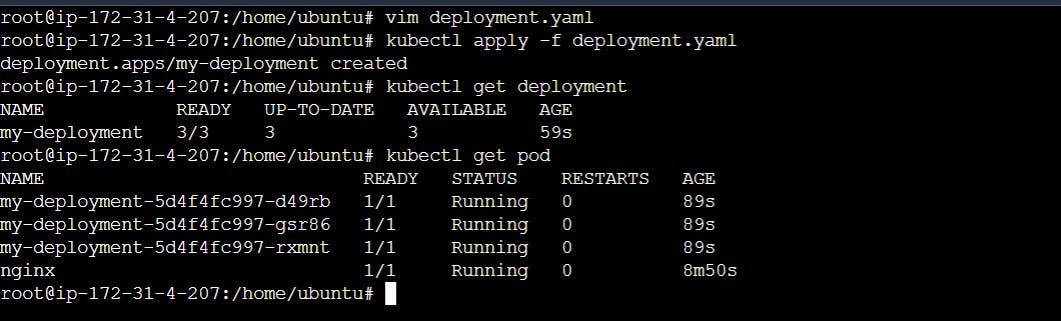
kubectl apply -f deployment.yaml
kubectl get deployment
kubectl get pod
StatefulSets
StatefulSet ensures that each pod has a unique and stable identity and that the persistent storage is attached to the correct pod even if it is moved around in the cluster.
For example, you need to ensure that each pod has a unique hostname and stable storage so that the data can be retrieved even if the pod is moved to a different node in the cluster. To address these challenges, Kubernetes provides a special type of controller called StatefulSet, which is designed to manage stateful workloads.
apiVersion: apps/v1
kind: StatefulSet
metadata:
  name: example-statefulset
spec:
  replicas: 3
  selector:
    matchLabels:
      app: example
  serviceName: example
  template:
    metadata:
      labels:
        app: example
    spec:
      containers:
      - name: example
        image: example:latest
        ports:
        - containerPort: 80
        volumeMounts:
        - name: data
          mountPath: /data
  volumeClaimTemplates:
  - metadata:
      name: data
    spec:
      accessModes: [ "ReadWriteOnce" ]
      resources:
        requests:
          storage: 1Gi
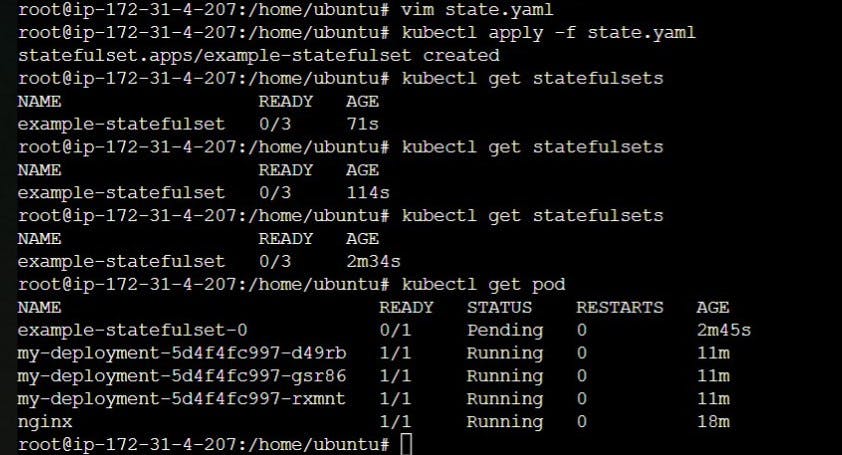
kubectl apply -f state.yaml
kubectl get statefulsets
kubectl get pod
DaemonSet
When a DaemonSet is created in a Kubernetes cluster, a copy of the specified pod is automatically deployed to each node in the cluster. If a new node is added to the cluster, a new copy of the pod is automatically deployed to that node as well. If a node is removed from the cluster, the corresponding pod is terminated.
Jobs
A job is an object that is used for a specific purpose. Job is similar to pod but its purpose is different.
Use Cases
👉 Take a Backup of a Database
👉 Helm Charts uses Jobs
👉 Running Batch Processes
👉 Run a task at a schedule in an interval log rotation
apiVersion: batch/v1
kind: Job
metadata:
  name: testjob
spec:
  template:
    metadata:
      name: testjob
    spec:
      containers:
      - name: counter
        image: centos:7
        command: ["bin/bash", "-c", "echo Technical-Guftgu; sleep 5"]
      restartPolicy: Never
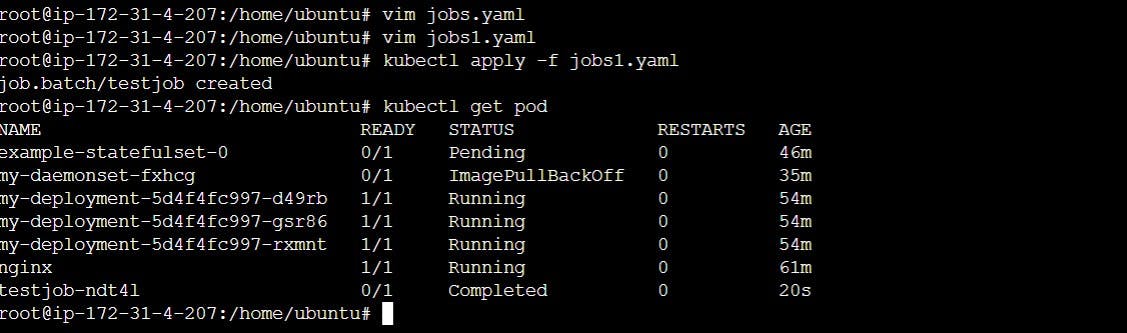
kubectl apply -f jobs1.yaml
kubectl get pod
CronJobs
CronJobs are useful for running periodic or scheduled tasks in a Kubernetes cluster, such as backups, database maintenance, or other batch jobs. They provide a simple and flexible way to automate these tasks and can help ensure that they are run on a regular and predictable schedule.
apiVersion: batch/v1beta1
kind: CronJob
metadata:
 name: job1
spec:
 schedule: "* * * * *"
 jobTemplate:
   spec:
     template:
       spec:
         containers:
         - image: ubuntu
           name: job1
           command: ["/bin/bash", "-c", "echo devops; sleep 5"]
         restartPolicy: Never
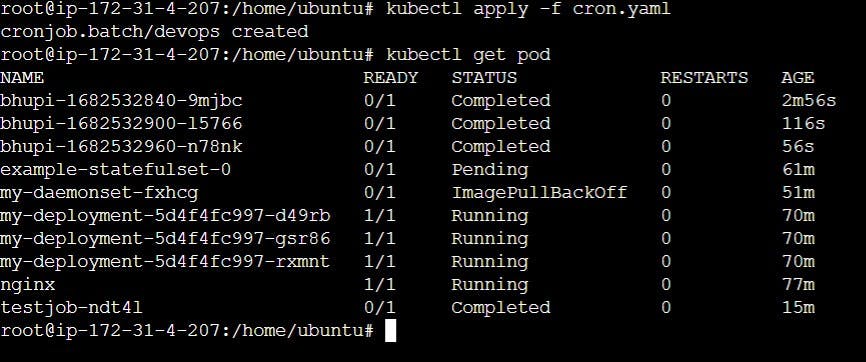
kubectl apply -f cron.yaml
kubectl get pod
Note:- I have practised this all in Ubuntu OS.
Thank you for reading this Blog. Hope you learned something new today! If you found this blog helpful, please like, share, and follow me for more blog posts like this in the future.


